Compose → echo → HITL
Public Admin first. Your agents run on your infra (Compose, Helm, Kubernetes).
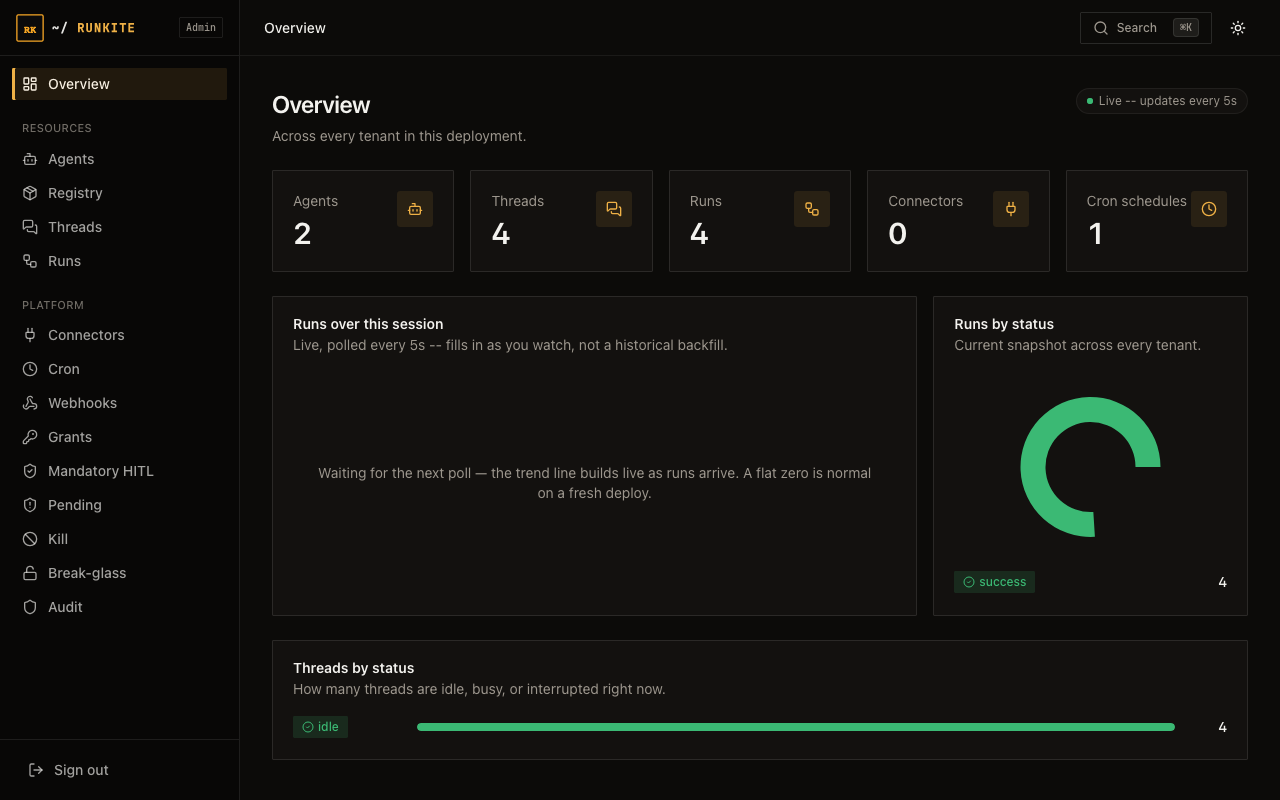
Live sandbox: getrunkite.com/admin is a running Runkite process (Postgres, Redis, runners), not a mock. Shared key is on the product page. Fake agents only. Compose below is a local replica, not the production shape. Production: Install.
Compose is up
Plane on :2026. Runner waiting. Admin opens with no login (auth off).
Echo agent
POST a run. Wait. See the echoed message.
HITL interrupt
approval_agent pauses — status interrupted.
You approve
Resume with {"command":{"resume":true}}. Run completes.
1. Bring the plane up
git clone https://github.com/getrunkite/runkite && cd runkite
docker compose -f docker-compose.dev.yml up -d --build
curl -sf http://localhost:2026/readyz && echo OK
# Admin → http://localhost:2026/admin/
Dev compose is SQLite + in-memory transport — no Postgres/Redis required. First build takes a few minutes.
2. Echo
BASE=http://localhost:2026
THREAD=$(curl -sf -X POST "$BASE/threads" -H 'Content-Type: application/json' -d '{}' \
  | python3 -c 'import json,sys; print(json.load(sys.stdin)["thread_id"])')
curl -sf -X POST "$BASE/threads/$THREAD/runs/wait" \
  -H 'Content-Type: application/json' \
  -d '{"agent_id":"echo_agent","input":{"messages":[{"role":"user","content":"Hello, Runkite!"}]}}' \
  | python3 -m json.tool
Expect status: success and an AI message that echoes your string.
3. HITL interrupt + resume
Use a new thread — do not reuse the echo thread id.
THREAD=$(curl -sf -X POST "$BASE/threads" -H 'Content-Type: application/json' -d '{}' \
  | python3 -c 'import json,sys; print(json.load(sys.stdin)["thread_id"])')
# Stream until you see interrupted, then Ctrl-C
curl -sf -N -X POST "$BASE/threads/$THREAD/runs/stream" \
  -H 'Content-Type: application/json' \
  -d '{"agent_id":"approval_agent","input":{"messages":[{"role":"user","content":"send the email"}]}}'

# Resume
curl -sf -X POST "$BASE/threads/$THREAD/runs/wait" \
  -H 'Content-Type: application/json' \
  -d '{"agent_id":"approval_agent","command":{"resume":true}}' \
  | python3 -m json.tool
What you should have seen
- Dispatch through the plane (client never talks to the runner).
- Streaming / wait semantics on Agent Protocol.
- A human gate before a side-effecting step continues.
Next steps
- Admin UI guide — walk through every screen in the dashboard you just opened.
- Your first agent — write your own graph from scratch and run it through the plane.
- Install (Supported) — when you're ready for the real Postgres + Redis profile.
Longer walkthrough: docs/quickstart.md · Product: landing