Connectors & HITL
A connector is how your agent talks to an outside service (Salesforce, GitHub, your own internal API) without ever holding that service's credentials itself. The plane holds the real secret, mints a short-lived session for one specific run, and can pause a call for a human to approve first. This page is the full setup: configure one, control which of its tools an agent can use, and turn on human approval.
Why route through a connector instead of just calling the API directly?
Nothing stops your agent code from calling an external API directly with its own hardcoded key — that's not something the plane can prevent. The reason to go through a connector instead: the real credential never has to live in your agent's process or environment variables, every call is automatically tied to the run that made it (so "who called Salesforce and why" always has an answer), and you get tool-level allow/deny lists and human-approval gates for free, enforced by the plane instead of by code inside every agent.
Step 1 — configure the connector
A connector is a small YAML file, referenced by name from langgraph.json.
Here's a complete, working example for a Salesforce connector using OAuth
client-credentials:
# connectors/salesforce.yaml
auth:
  type: oauth2_client_credentials
  token_url: https://login.salesforce.com/services/oauth2/token
  client_id: ${SF_CLIENT_ID}
  client_secret: ${SF_CLIENT_SECRET}
mcp:
  url: https://salesforce-mcp.internal/sse
tools:
  allow: [soqlQuery, getObjectSchema]
  deny: [deleteRecord, bulkUpdate]
errors:
  INSUFFICIENT_ACCESS: "You don't have permission for this Salesforce object."
Then point langgraph.json at it:
{
  "connectors": {
    "salesforce": { "config_ref": "./connectors/salesforce.yaml" }
  }
}
What each part means:
-
auth.type— how the plane authenticates to the downstream service. Four supported types:oauth2_client_credentials(a service-to-service OAuth client, e.g. Salesforce/most enterprise APIs),oauth2_token_exchange(swap the end-user's own SSO token for a downstream one — use this when the call should run "as the user", not as a generic service account),api_key, andbearer(a static credential — simplest option, for APIs that just take a header). -
${SF_CLIENT_ID}/${SF_CLIENT_SECRET}— these get substituted from environment variables when the config loads. Never put a real secret directly in the YAML file. See Secrets for a second option (auth.secret_ref) that fetches the credential fresh from Vault or a file each time a session is minted, instead of baking it into memory at startup — useful if you rotate credentials without wanting to restart the control plane. -
mcp.url— set this if the downstream service speaks MCP (Model Context Protocol). The plane proxies every call through itself rather than handing your agent the real MCP URL — that's what makes thetools.allow/tools.denylist below actually enforceable instead of just advisory. -
tools.allow/tools.deny— restrict which MCP tools this connector exposes. This is a real, enforced gate: a denied tool call is rejected by the plane and never reaches the downstream server at all. Usedenyalone to block a specific handful of dangerous tools while allowing everything else; useallowto only permit an explicit, short list. -
errors— optional. Maps a raw error code from the downstream service to a friendlier message your agent (or its end user) sees instead of a cryptic upstream error string.
Step 2 — a network hiccup shouldn't take down every agent
Every OAuth connector automatically gets a circuit breaker around its token-fetch call — you don't configure this to turn it on, only to tune it:
circuit_breaker:
  failure_threshold: 5    # consecutive failures before it trips open (default: 5)
  cooldown_seconds: 30    # how long it stays open before trying again (default: 30)
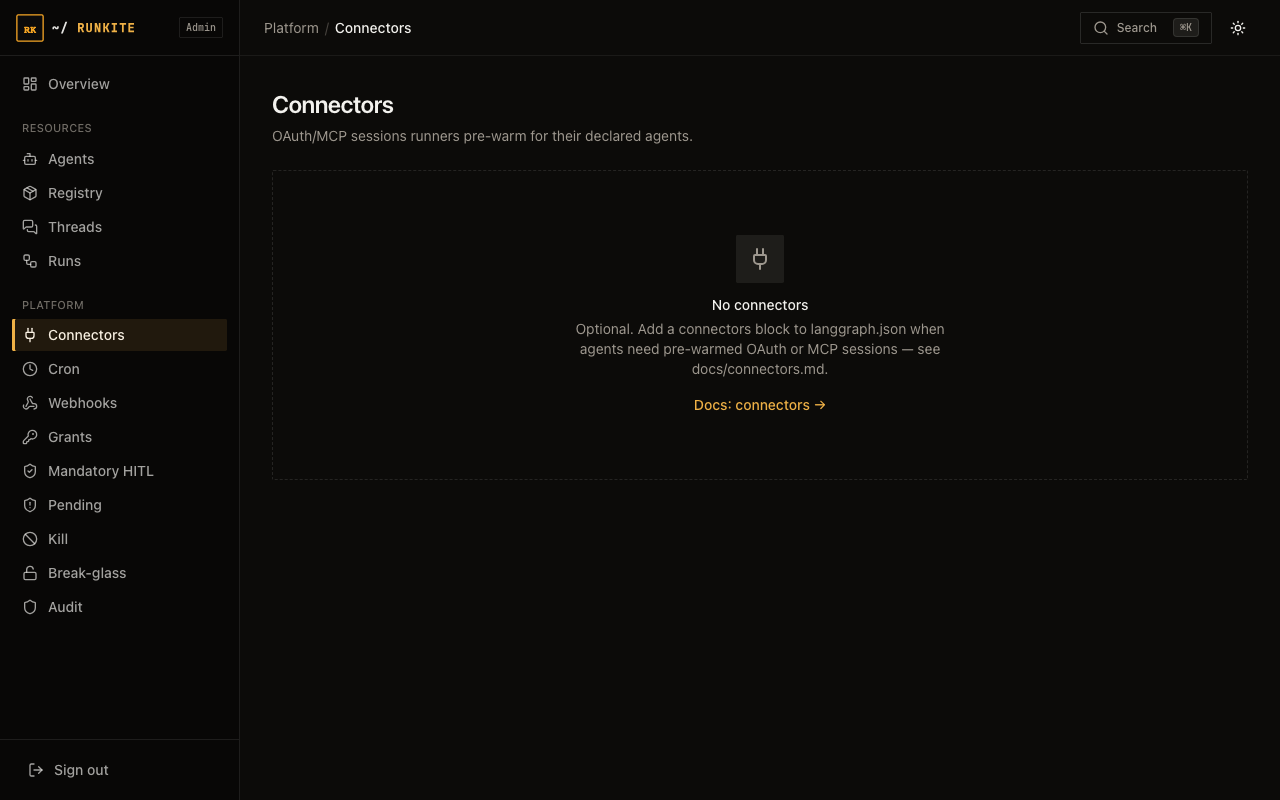
In plain terms: if Salesforce's login endpoint is down and 5 calls in a row fail, the breaker "opens" — every further call fails instantly (no network attempt, no waiting for a timeout) for 30 seconds, so one broken downstream service can't slow down every agent that happens to use it. After the cooldown, it lets one call through as a test; if that succeeds, it closes and traffic flows normally again. You can watch this state live in Admin → Connectors.
Step 3 — call it from your agent code
Use the SDK helper, not a raw HTTP call — it automatically attaches the headers that tie the request to your currently-running run (explained below):
# Python (inside a graph node)
from runkite_runner.connectors import get_connector_session

async def my_node(state, config):
    sess = await get_connector_session(config, "salesforce")
    # sess.credentials["access_token"] is ready to use right now
// TypeScript
import { getConnectorSession } from "runkite-runner";

const sess = await getConnectorSession(config, "salesforce");
What "run-bound" actually means (and why you'll see a 401 if you skip it)
A connector session is only ever minted for a run that's actually in progress
right now — the plane will not hand out credentials to a bare request that just
has a runner token and nothing else. This is why the SDK helpers above matter:
they automatically read the current run's ID and "generation" (a fencing number
that changes if the run gets reassigned to a different worker) from the graph
config and attach them as headers. If you ever bypass the helper and call the
session endpoint directly without those headers, you'll get
401 run_binding_required — that's the plane refusing to hand out a
credential with no run to attach it to, not a bug.
Step 4 — decide who's allowed to use this connector at all
Configuring a connector doesn't automatically let every agent use it — by default, a connector call is denied until you explicitly grant it. You can grant in config (fixed at deploy time) or in Admin (changeable live, no redeploy):
# langgraph.json — static grant, baked in at deploy time
"policy": {
  "grants": [
    { "tenant_id": "default", "agent_id": "sales-assistant", "connector": "salesforce" }
  ]
}
Or open Admin → Grants, click "New grant," and pick the tenant / agent / connector. Admin grants roll out to every control-plane replica within about 15 seconds — no restart needed. Use config for grants you always want; use Admin for grants you're experimenting with or need to change without a deploy.
Step 4b (optional) — gate on the argument, not just the tool name
Grants are name-only. To pending or deny from a field inside tools/call
(for example amount > 100), add policy.predicates in
langgraph.json and restart the control plane. This is config-only — there
is no Admin form for it. It applies only to connector MCP, before the downstream call.
Under the threshold the tool still runs; over it, Admin → Pending, and the amount is
on Admin → Audit (hover Args). Full example:
Grants & HITL.
# langgraph.json — after the grant above
"predicates": [
  {
    "id": "update-over-100",
    "tenant_id": "default",
    "agent_id": "sales-assistant",
    "connector": "salesforce",
    "tool": "updateRecord",
    "when": { "path": "amount", "op": "gt", "value": 100 },
    "effect": "pending",
    "reason_code": "predicate_amount"
  }
]
Step 5 (optional) — force a human to approve first
For anything you never want an agent doing fully on its own — sending an email, approving a refund, deleting a record — add a mandatory human-in-the-loop (HITL) rule. Once this is in place, a matching call doesn't fail and doesn't succeed — it pauses until a human looks at it.
# langgraph.json — every call to salesforce's deleteRecord tool must be approved
"policy": {
  "mandatory_hitl": [
    { "tenant_id": "default", "connector": "salesforce", "tools": ["deleteRecord"] }
  ]
}
Leave out tools to require approval for every tool on that connector. You can also create these rules from Admin → Mandatory HITL without a redeploy.
What actually happens when this fires, end to end:
- Your agent tries to call the gated tool (e.g.
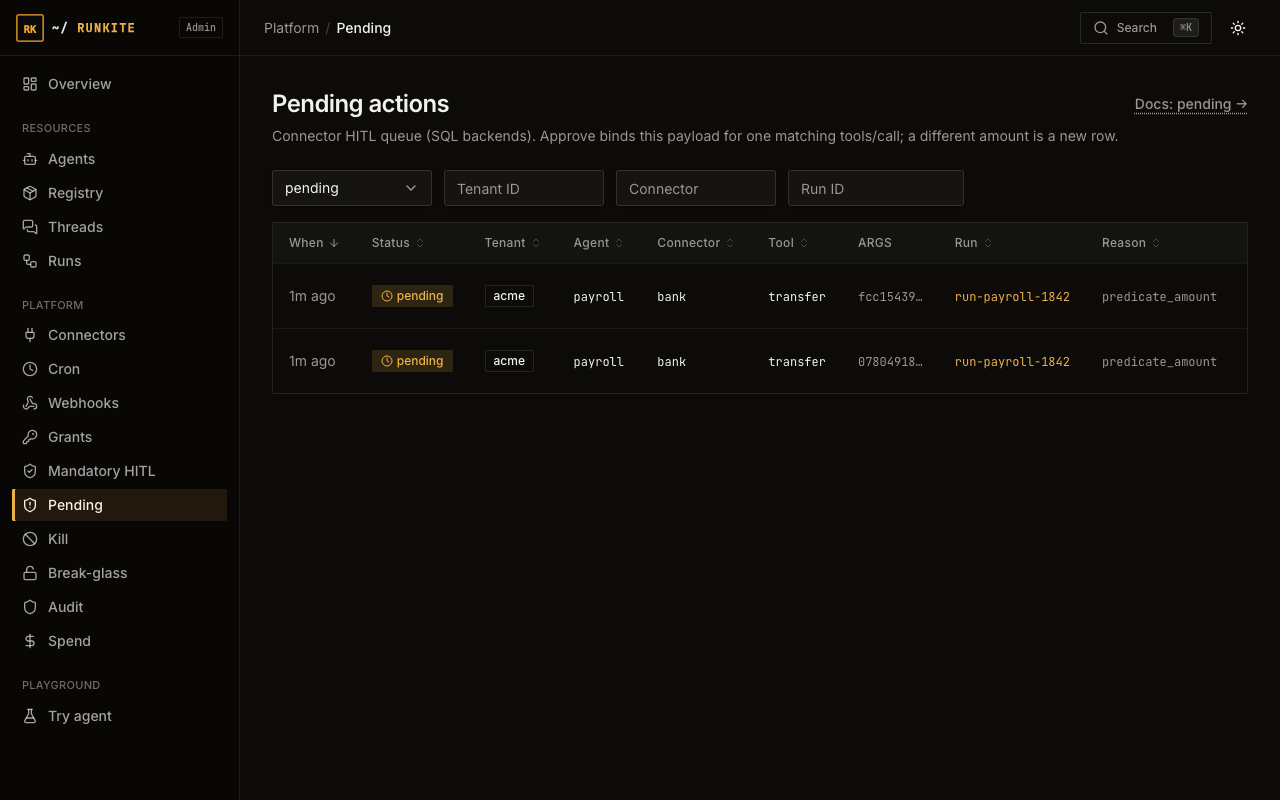
deleteRecord). - Instead of running, the call is refused with JSON-RPC pending and shows up in Admin → Pending (connector, tool, reason, and the triggering display map on the Args column).
- A human clicks Approve or Deny in Admin (or your own tooling can call the same API).
- Approved — the plane mints a one-shot permission for the next matching call with that same argument digest. A retry with a different amount does not consume it. Denied — the run resumes with a denial instead, and your agent code decides what to do (retry differently, apologize to the user, escalate).
- This is a one-time unlock, not a standing exception — the very next time the agent tries the same tool, it pauses again. If you want it to stop pausing permanently, remove the mandatory HITL rule instead.
What to expect
- "My grant isn't taking effect." — if you added it in Admin on a different replica than the one serving your traffic, give it up to ~15 seconds to propagate.
- "Nothing happened when my agent called the tool." — check Admin → Pending first; it's very likely paused there waiting for approval, not silently failed.
- Credentials never leave the plane on their own —
GetSessionand the connector status endpoint never hand back a connector's raw downstream URL when MCP is configured, and MCP session tokens are 15-minute, run-bound, and single-purpose. This does not stop your own agent code from independently having a different, hardcoded credential to the same service — the plane can only govern access it hands out itself. - A cached OAuth token keeps working even mid-outage — if the token refresh endpoint is down and the breaker trips, a still-valid cached token keeps being served; only new token fetches fail fast.
Reference: docs/connectors.md · docs/trust-governance.md · Secrets (env / file / Vault) · Admin UI guide · Try HITL path